Skip to content
Orb
For macOS 26 (Tahoe)

Your agent sessions,
one keystroke away.

Orb is a native macOS menu-bar app. Press a hot key and a Liquid-Glass dock slides in: a live terminal on the left, your running agent sessions on the right. Each one runs on your Mac or inside its own container.

Requires macOS 26 (Tahoe), with an iPhone companion in beta.
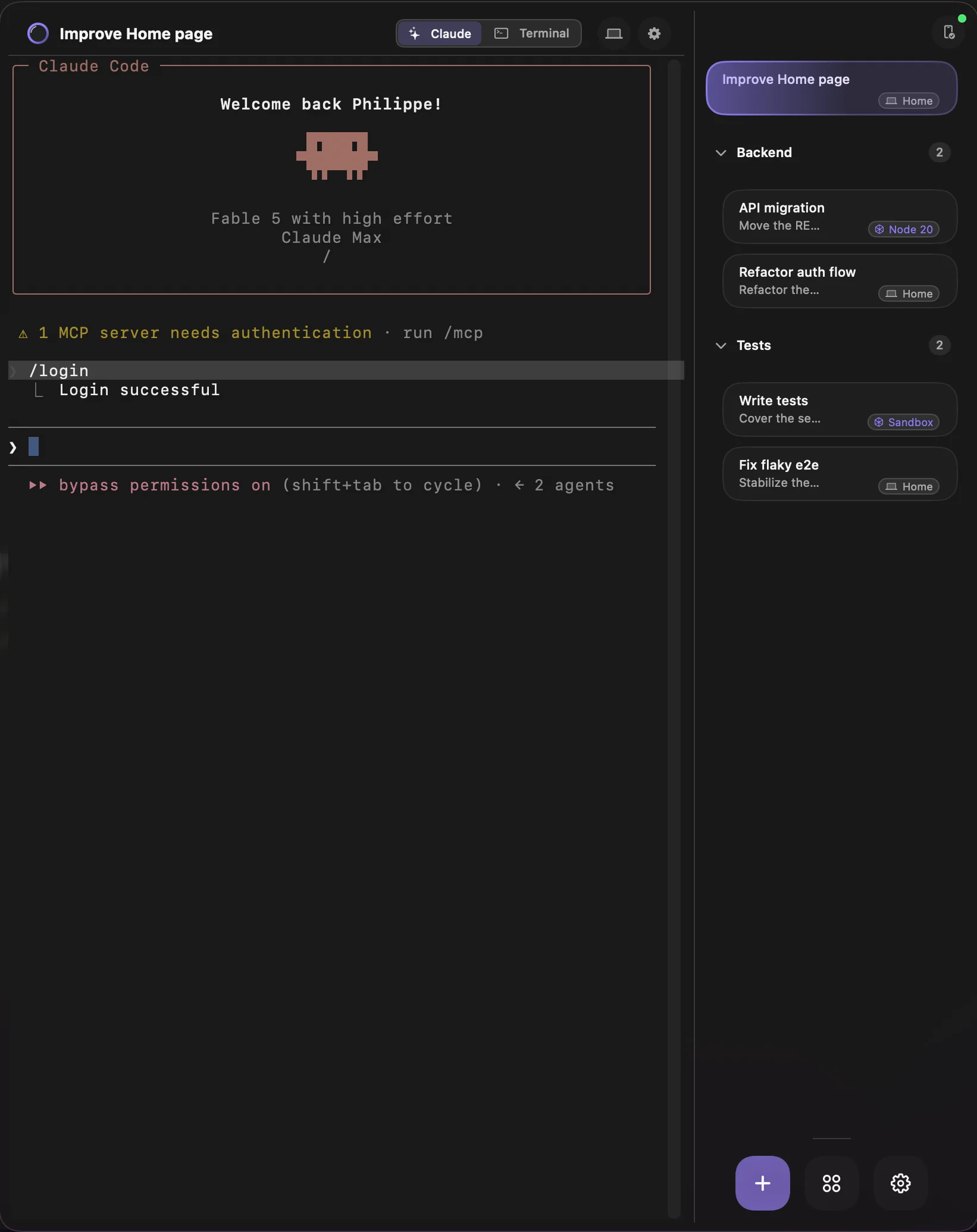
The Orb dock on macOS: a live Claude Code session beside a column of session bubbles
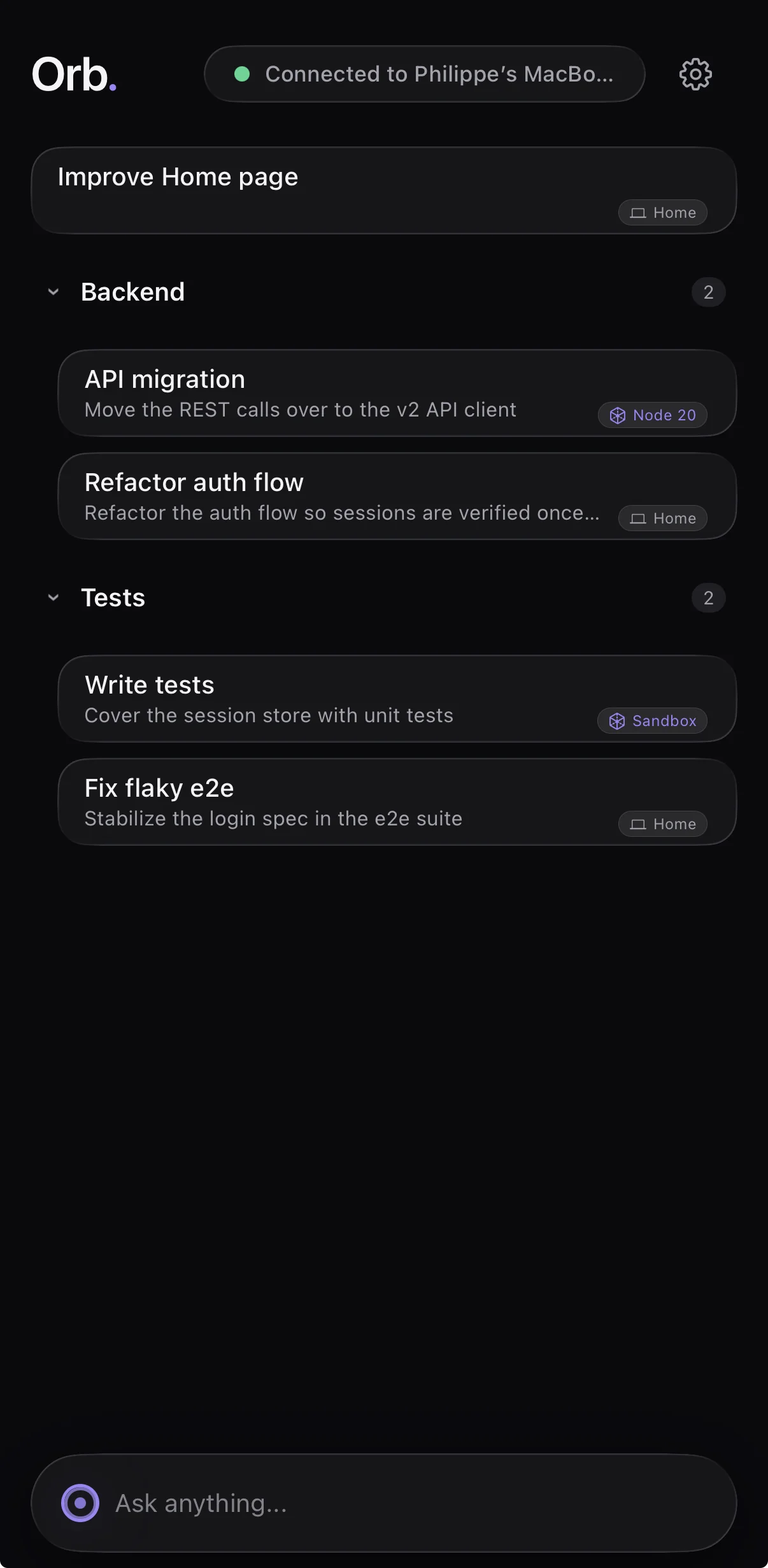
Orb Mobile on iPhone, paired with the Mac: the same session list with live status, ready to open any terminal
Why Orb

A workspace for your agents, not another window to manage.

Everything Orb does is in service of one thing: keeping your live sessions instant, organized, and out of the way.

Choose your agent

Each profile runs the agent you pick: Claude Code or OpenAI Codex, with its own command, model, and permissions. Orb uses the CLI already on your Mac and never installs or updates it for you.

Run agents in a container

Run any session inside Apple's native container runtime on macOS 26, isolated from your Mac. The agent gets its own filesystem to work in, so a risky command stays inside the box.

Snapshot instead of worktrees

Set a session up once (install tools, clone your repos), then Save Snapshot to freeze that filesystem as the profile's baseline. New sessions boot from the snapshot with zero setup, so you skip the git worktree juggling.

Run tasks in parallel

Launch several sessions from the same snapshot at once. Each is a copy-on-write clone, so they all start from identical state and run tasks concurrently without stepping on each other.

One list, everywhere

By default your sessions follow you to every Space, display, and window: one list, always the same. Prefer them cloistered per Mission Control Space instead? One toggle in Settings.

Your sessions follow you

Pair Orb Mobile with your Mac and the same sessions show up on your iPhone. Open one to watch the live terminal, answer a prompt, and approve a step from anywhere.

Instant switching

Click a bubble and its live pane swaps in instantly. Sessions are only hidden and shown, never restarted, so nothing loses its place.

Terminal pane, on demand

Every session has an agent pane and a Terminal pane, toggled from the dock header. Drop into a shell to inspect a diff or roll back a change while the agent keeps working. Both panes stay live.

One global hot key

Press ⌃⌥Space anywhere to toggle the dock. No Accessibility permission required. It uses Carbon's system hot-key API.

Liquid Glass, natively

Built on macOS 26's Liquid Glass with real NSGlassEffectView surfaces. The dock refracts your desktop and adapts to light, dark, and Increase Contrast.

No telemetry, no account

Orb has no backend and collects nothing. It runs entirely on your Mac: no sign-in, no tracking, no lock-in.

How it works

Three keystrokes to a running session.

Summon the dock

Press ⌃⌥Space or click the glass tab on the right edge of any screen.

Start a session

Hit +, type your prompt, pick a folder, and press Return to launch your agent.

Keep them close

Switch with ⌘↑ / ⌘↓, collapse to keep sessions running in the background, and reopen right where you left off.

Bring your sessions to the surface.

Install Orb, press the hot key, and take your sessions with you, right down to your iPhone.